On Linux, there is no standard way to get an event if a camera is turned on or off. On the kernel side, there is a variety of different camera APIs with the most common one being V4L2 (Video4Linux), which has no built-in mechanism to notify user space if a camera turns on or off. On the user space side, most applications today use V4L2 directly, but this is slowly changing to libcamera or PipeWire. As far as I can tell, V4L2 on the user space side and libcamera also have no support for camera on and off events. PipeWire looks like it does, but I'm not an expert and I can't even get it working [1].
| [1] | My attempts of enabling PipeWire for cameras resulted in Firefox freezes that were only resolved after I rebooted my computer. It also doesn't work for my Chrome installation. My test setup is on Ubuntu (KDE) 25.10. |
Being able to programmatically react to camera on/off events can be very useful. One use case is showing a camera on/off indicator on the system tray, which can be an useful albeit imperfect substitute for webcams that do not have an on/off LED. Another use case could be logging the camera access for audit purposes. The one that personally matters to me is to automatically turn on a Logitech Litra light when I start a video call. But how can any of this be done if none of the APIs provide this event?
Enter eBPF. eBPF is a technology that can run programs within the Linux kernel at various instruction locations. These kernel-side programs can then send data to a corresponding user-space program for additional processing. eBPF is commonly used to execute a custom program on the entries and exits of kernel or user space functions for tracing purposes. We can use this mechanism to run a custom program whenever the kernel functions that starts/stops the camera video streams are executed. The custom program can then emit a camera on/off event that can be subscribed to by other programs. This is what the CameraCoordinator project implements. It can detect camera on/off events, run scripts, and send DBus signals on detection.
The repo for CameraCoordinator also contains a program called Autolight. It serves a few puporses:
- Turns Logitech Litra lights on and off when cameras are turned on and off.
- Acts as a camera on/off indicator in the system tray.
- Exposes manual light on/off controls along with brightness and colour temperature settings.
A demo is shown in the below figure. If you want to download it and try it, go to the CameraCoordinator repo and follow the installation instructions there.
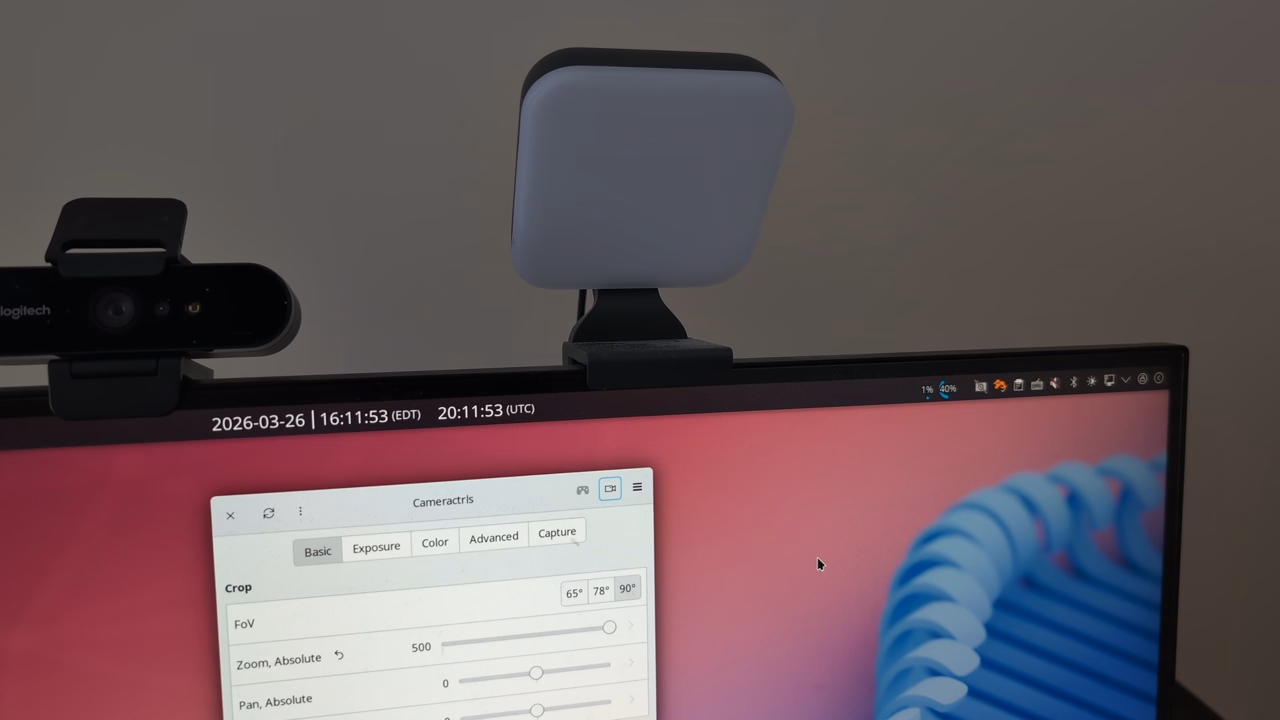
CameraCoordinator with AutoLight (v1.1.0) demo showing camera status and lights control. Light brightness and temperature control on the tray icon was added in 1.2.0 and not in this demo.
How it works
CameraCoordinator works by tracing two kernel functions: vb2_ioctl_streamon and vb2_ioctl_streamoff. Based on reading the docs, source, and doing some experiments, it seems that these functions get called most of the time when the camera capture starts and stops [2]. This can be verified by running the following bpftrace script for the camera on event while turning the camera on (full script is here):
 1 kprobe:vb2_ioctl_streamon
 2 {
 3   $file = (struct file *) arg0;
 4   if ($file == 0) {
 5     return;
 6   }
 7
 8   $dentry = $file->f_path.dentry;
 9   if ($dentry == 0) {
10     return;
11   }
12
13   $name = $dentry->d_name.name;
14   printf("vb2_ioctl_streamon: file=%s\n", str($name)); // This will give video0, video1, etc.
15 }
| [2] | It seems that the camera capture can be started and stopped without calling the vb2_ioctl_streamon/off functions if drivers decides to create a custom IOCTL handler and call vb2_streamon and vb2_streamoff directly. However, the video filename is not easily determinable through the arguments of these functions so I opted to use the more unreliably (but still reliable enough) vb2_ioctl_* methods. My understanding is also that some cameras are not implemented with V4L2, which means those functions must be traced for an accurate on/off determination. |
This proof of concept bpftrace script can detect camera on and off events, but it is not able to run custom scripts and send DBus signals. This is more readily done with a normal programming language with good eBPF support. I chose Golang as eBPF is well supported using the cilium/ebpf library. The code is slightly more complex than the bpftrace script and follows the following flow:
- Whenever vb2_ioctl_streamon/off executes, an eBPF C program runs. It is able to read the arguments passed to the kernel functions. The first argument is a struct file *, from which we can read the video file name. This is important as we can then keep track of which camera is on and off by detecting their state changes in the user space Go program.
- The eBPF program then sends this event with the video file name through a eBPF-provided ring buffer to the user space Go program.
- Since the vb2_ioctl_stream* API is not 100% reliable, the Go program is written with an architecture that allows for multiple independent detectors that may operate with different signal source. This makes it easy to add other detectors in the future, althought right now the only detector implemented relies on vb2_ioctl. The signals coming from the vb2_ioctl detector is merged with other detectors (if available). The event merger will then generate the camera on and off events.
- Based on the merged events, the program sends off DBus signals on the system bus and runs shell scripts.
- The Autolight program, which is a separate process, listens for these DBus messages and turns on any attached Litra lights.
This data flow is also shown in the following diagram:
Known issues
A current problem is that vb2_ioctl_streamoff does not always execute when the process using the camera close without cleanup. To mitigate this, I've tried to trace vb2_fop_release, which is called when the process shuts down without the streamoff call. However, since this function is also called for reasons other than process shutdown [3], I had to filter the events for only the cases when the process is being shut down. To detect this, I tried to see if the process PID that called vb2_fop_release has been reaped. This doesn't quite work as it suffers from a race condition where the eBPF event can fire before the process gets fully reaped by the kernel (I think). Thus, this is not fully reliable and the camera off event will be missed occasionally. I don't have another good way to detect this for now. If you do, leave me a comment. To workaround this problem in the current code base, you would have to turn the camera on and off normally.
It also turns out that turning lights on and off based on camera on and off events is not the best user experience for some applications like Microsoft Teams. Microsoft Teams will turn the camera on and off several times before you finally join the call as it has a "pre-check" screen. This causes several on and off events to fire, which can trigger the lights to turn on and off a few times while you join the call. In my opinion, the user experience problem here is not actually with Autolight, but with Microsoft Teams. I suppose that's not a surprise.
| [3] | Such as if any process opens the video device file and close it without actually turning on the stream, common when you try to get the device properties. |
Where to go from here
The present detection method is still quite brittle, but it does work for my use cases with UVC cameras. As stated at the beginning, the Linux ecosystem is in the midst of transition from V4L2 to libcamera + PipeWire. PipeWire should make the detection much more robust. The architecture of CameraCoordinator is extensible to support PipeWire, but the current implementation is probably a bit too tied to V4L2 and would need a bit of refactoring to get a PipeWire detector working. Notably the camera event struct and the event merger are both tied to V4L2.
Also, this project defined a custom DBus signal for camera on and off events. Ideally this should be supported in the standard under the FreeDesktop specifications.
For the Autolight project, it would be good if it can automatically adjust the brightness and colour temperature of the light. This is a bit more difficult as there is no readily available brightness and white balance sensor for Linux (or even Windows) [4]. Not adjusting the brightness and colour temperature can lead to suboptimal video quality as the image can be overexposed or the white balance can be off. Right now the Autolight program allows for manual control of the temperature and brightness through the tray icon to mitigate this issue. This is not great as it is easily forgotten, but acceptable for now.
| [4] | I did notice that I can query the white balance temperature from my Logitech BRIO 4K webcam, but it doesn't seem like the value changed when the camera is off, so that doesn't work. |
Some lessons learned
These are some personal notes that are likely not relevant to anyone but myself:
- eBPF is (unsurprisingly) powerful and can be used for all sorts of weird purposes.
- The DBus status notifier "standard" is not an accepted FreeDesktop standard despite widespread implementation and being a relatively nice standard to work with. The only hold out (as usual) is GNOME. Canonical provides an extension that's almost universally installed to mitigate this problem. There are even pretty some recent controversy about this subject...
- Building debian packages remains an arcane art, and I'm not doing it well.
- AI-assisted programming is probably not that helpful for this project as I had to learn a bunch of stuff and over-engineered the original design significantly. In some cases the existing code generated by the AI polluted my own context window which caused some excessive slowdowns. In other situations it was a great accelerant for me to better understand the V4L2 system (not a perfect understanding but good enough to get it done). Not sure if I got a speed up overall or not.